pane.run

A surface for agents

Show · ask · decide

Give your agent a pane.

Pane gives your agent a simple, temporary web page to show you things and collect your input—without building an app.

Pane is for moments when your agent needs something from you and chat is the wrong modality: comparing things you have to see, putting options in order, reviewing a document, or filling in labeled fields and checks. With one command, your agent creates a shareable page you can open on any device. When you’re done, it reads your response and gets back to work.

curl -fsSL https://pane.run/install.sh | sh

$ pane pick --title "Choose a direction" \
  "Ship the prototype" \
  "Run one more test"

✓ pane ready
  https://pane.run/s/...
01 Declare

Describe the interaction, not the interface.

02 Share

Send one ephemeral, hosted link.

03 Continue

Read the answer and carry on.
Examples

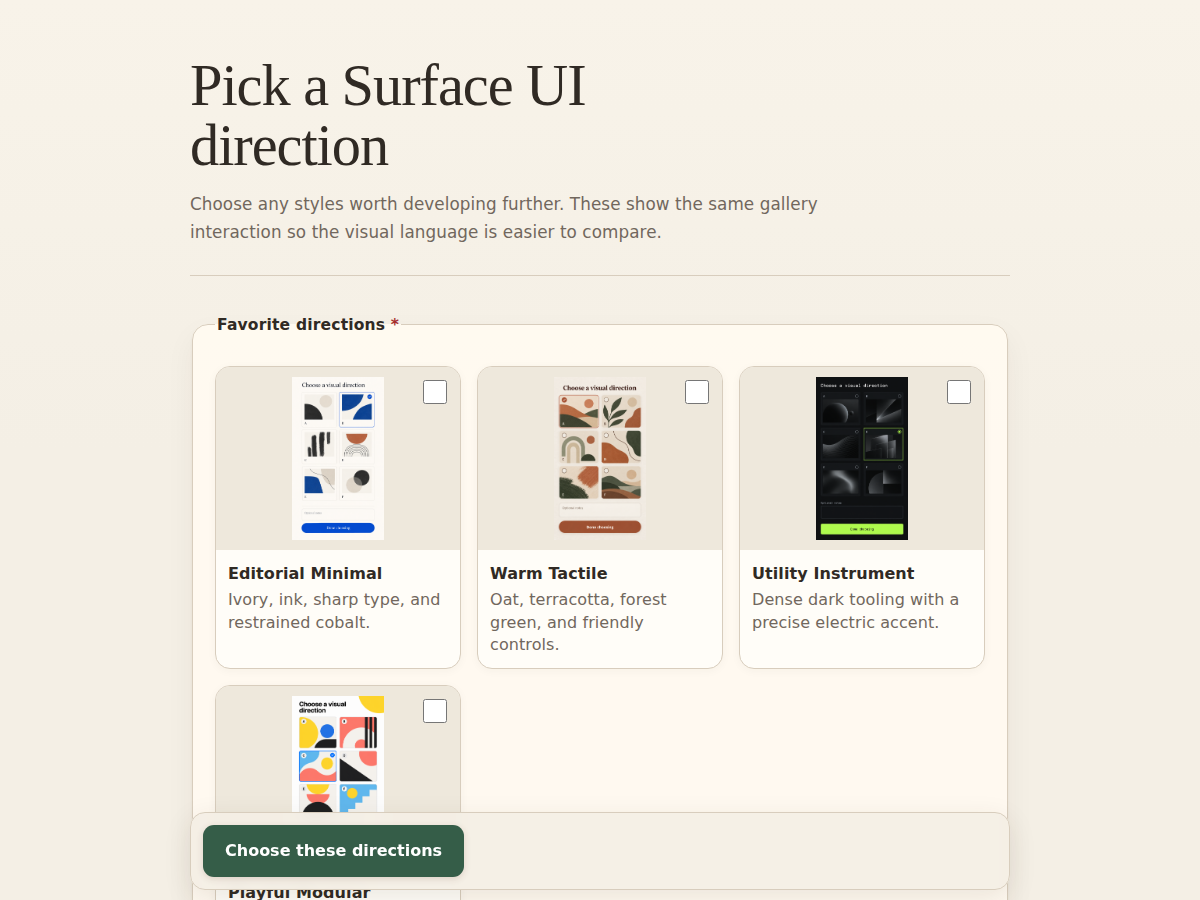
Compare See options side by side and choose one.

Your agent runs:

$ pane gallery --title "Choose a direction" ./concepts/*.png

and gets a shareable link that looks like this:

A Pane gallery for comparing four visual design directions
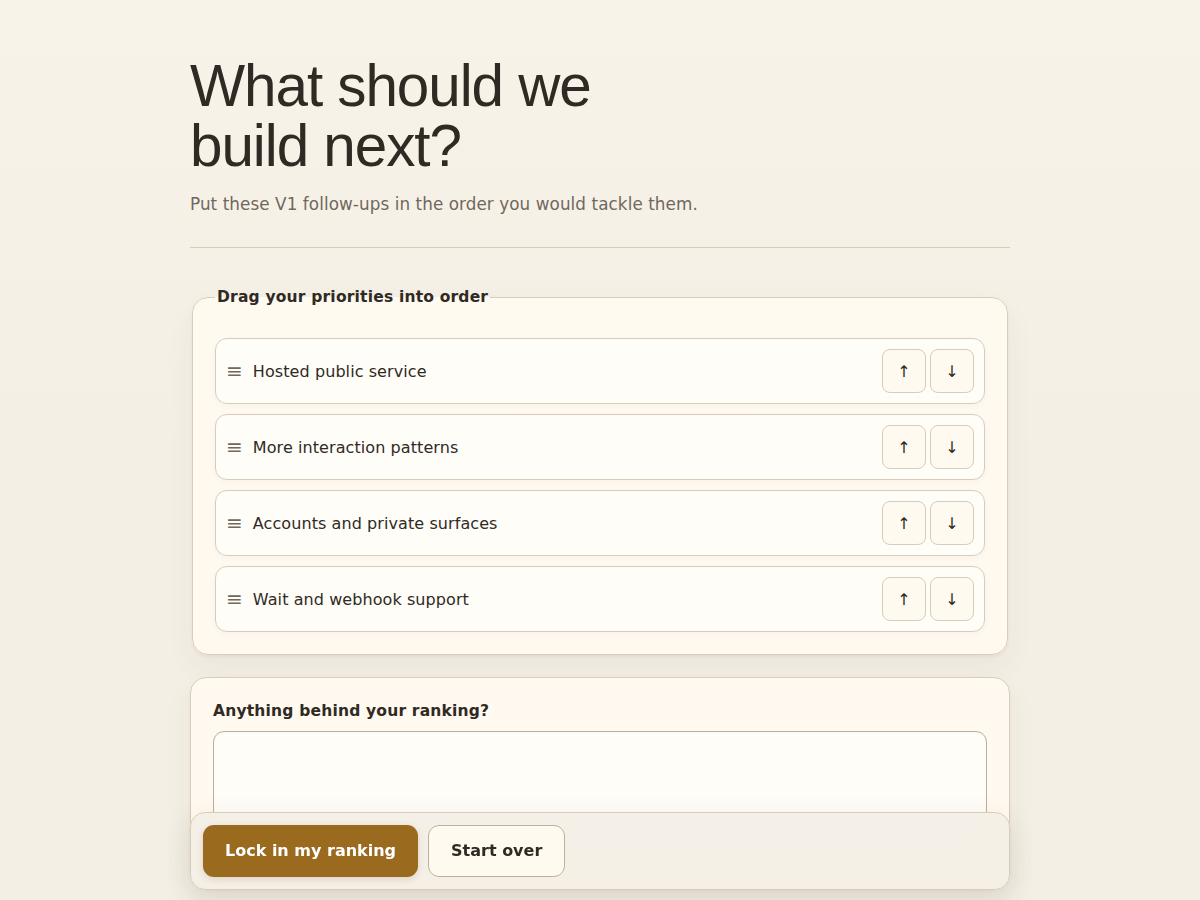
Rank Put ideas, tasks, or tradeoffs in order.

Your agent runs:

$ pane rank --title "What should we build next?" "Hosted service" "More patterns" "Accounts"

and gets a shareable link that looks like this:

A Pane interface for ranking product priorities
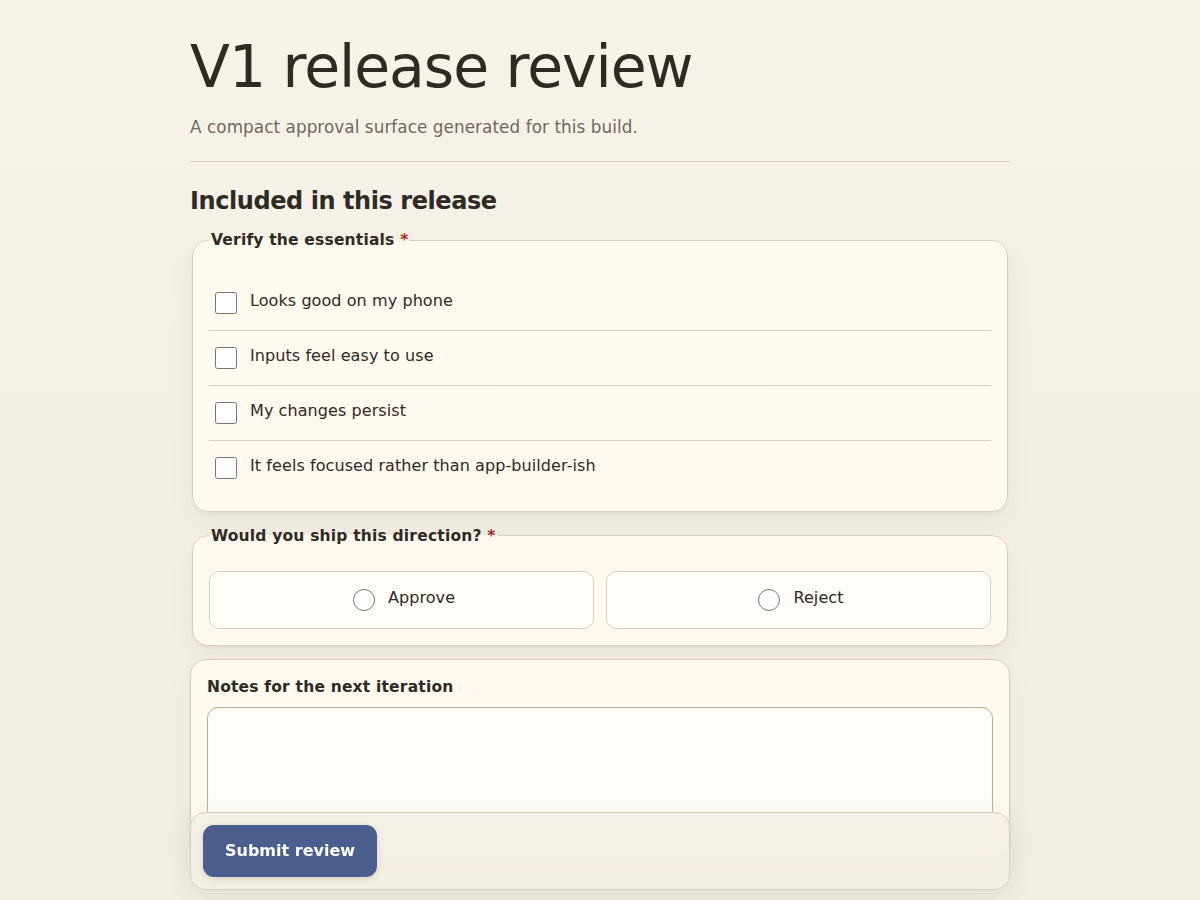
Approve Read the details and give a clear go or no-go.

Your agent runs:

$ pane create release-review.json

and gets a shareable link that looks like this:

A Pane release review with a checklist, approval control, and notes
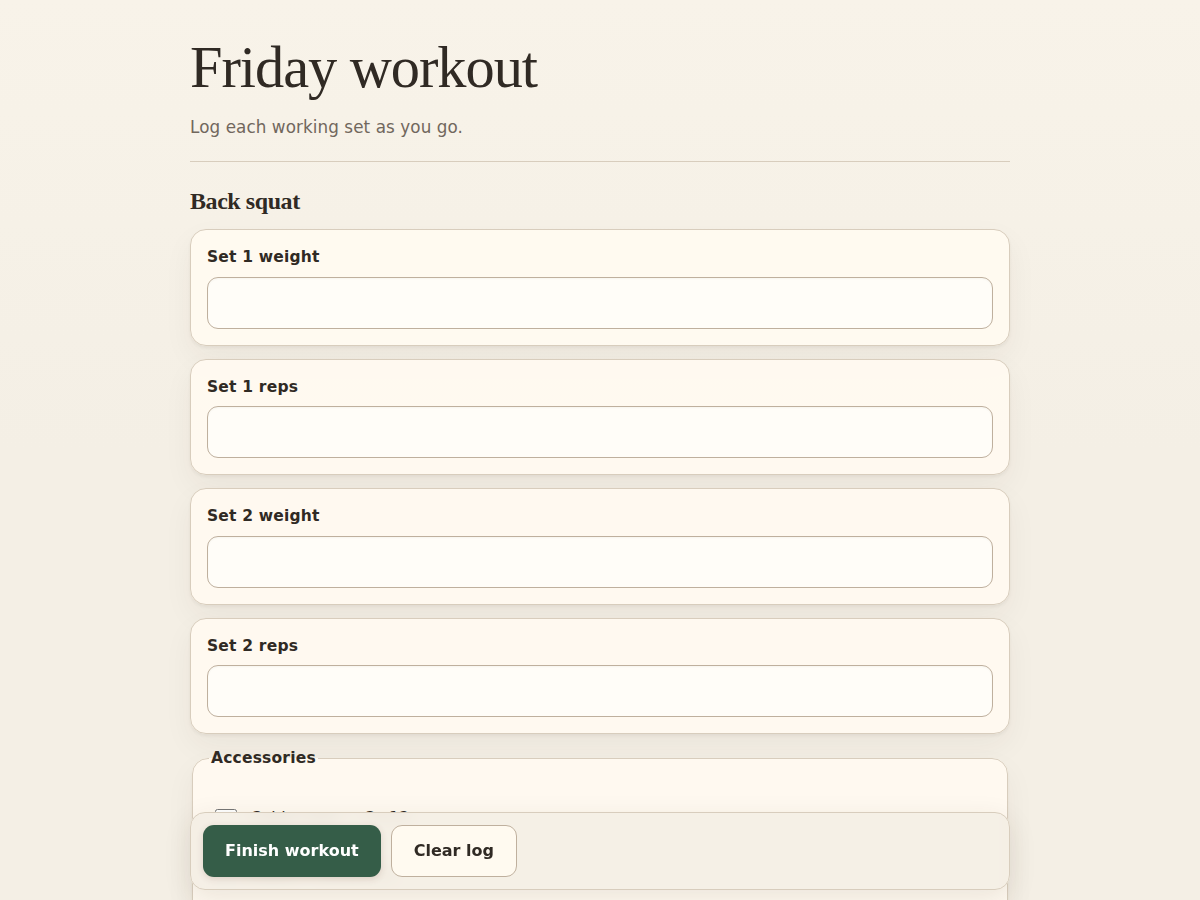
Capture structured input Enter numbers, checks, and short text in labeled fields instead of formatting a reply in chat.

Your agent runs:

$ pane create workout.json

and gets a shareable link that looks like this:

A Pane workout tracker for logging weights, reps, and completed exercises